Best ChatGPT Alternatives in 2026: Claude, Gemini, Copilot and More
GuidesFriday, 24 July 2026 at 22:05
Updated at Friday, 24 July 2026 at 22:08
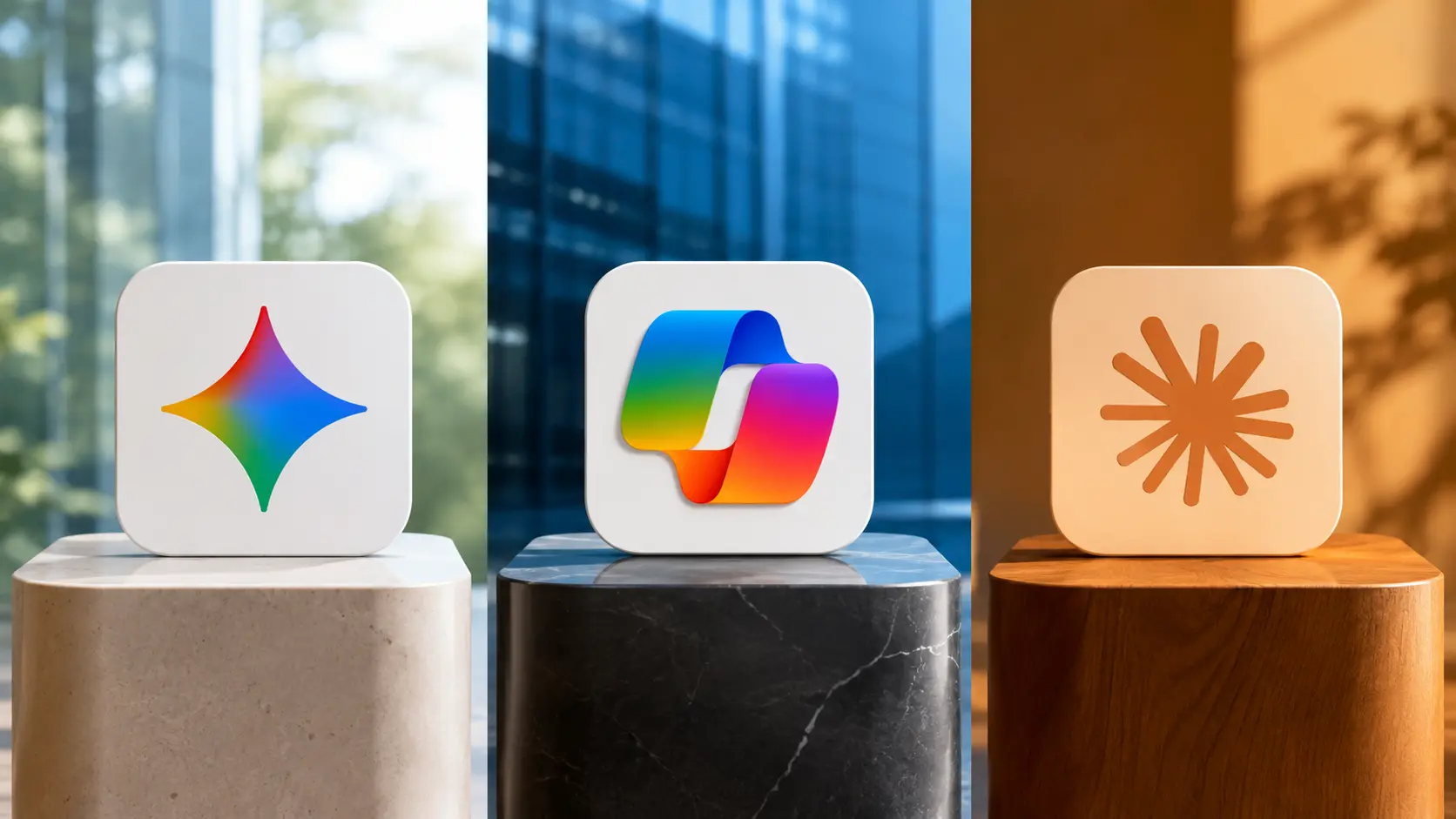
ChatGPT is no longer the only credible general-purpose AI assistant. Claude can be a better fit for long documents and sustained writing. Gemini makes more sense when your work already lives in Google’s ecosystem. Microsoft Copilot has an obvious advantage inside Word, Excel, PowerPoint, Outlook and Teams. Perplexity approaches the problem as an answer engine built around web research and citations.
The market also extends well beyond those direct rivals. Grok combines live web and X search with voice, image and video tools. DeepSeek appeals to users and developers who prioritize capable reasoning at a low cost. Mistral Vibe, formerly known as Le Chat, combines chat, long-running work and coding in a European alternative.
There is therefore no single best alternative for everyone. The right choice depends on what you want to replace:
- the ChatGPT conversation experience;
- its research tools;
- its writing and document work;
- its coding environment;
- its image, voice or video capabilities;
- its business workspace and connected apps;
- or its entire collection of features.
This guide compares the strongest current options by practical use case, integration, free access, paid plans and limitations. It concentrates on choosing between products rather than repeating the models, features and plan details covered in our complete ChatGPT guide and ChatGPT pricing comparison.
The best ChatGPT alternatives at a glance
- Best direct ChatGPT alternative: Claude
- Best for Google users: Gemini
- Best for Microsoft 365: Microsoft Copilot
- Best for cited web research: Perplexity
- Best for real-time X search and multimedia: Grok
- Best for low-cost reasoning and API use: DeepSeek
- Best European work-and-code alternative: Mistral Vibe
If you want one product that feels closest to a direct replacement, start with Claude. If your files, email and calendar already sit inside Google Workspace or Microsoft 365, integration may matter more than small differences in model performance. If your main task is finding and checking current information, start with Perplexity instead of choosing another general chatbot.
ChatGPT alternatives compared
| AI assistant | Best for | Free option | Entry paid individual plan | Standout advantage | Main trade-off |
| Claude | Writing, long documents, coding and focused knowledge work | Yes | Pro: $20/month or $200/year | Projects, Artifacts, Research, file creation and Claude Code | Usage is shared across Claude surfaces and native media generation is less central |
| Gemini | Google Search, Workspace, Android and multimodal work | Yes | Google AI Plus: $4.99/month in the US | Deep integration across Google services and a broad media toolkit | Plans, benefits and availability can vary by account, product and country |
| Microsoft Copilot | Word, Excel, PowerPoint, Outlook, Teams and OneDrive | Yes | Microsoft 365 Personal: $9.99/month in the US | Native access inside Microsoft’s productivity environment | “Copilot” covers several different products, plans and experiences |
| Perplexity | Current research, discovery and source-led answers | Yes | Pro: about $17/month when billed annually | Search-first answers with visible citations and access to several model families | A citation is not proof that the cited page supports the answer |
| Grok | Real-time web and X search, voice, images and video | Yes | SuperGrok: $30/month | Live information from the web and X plus strong media features | Less naturally embedded in office suites than Gemini or Copilot |
| DeepSeek | Technical reasoning, coding and economical API use | Yes | Consumer chat is free; API is usage-based | Very low API prices and OpenAI- and Anthropic-compatible interfaces | A thinner end-user productivity ecosystem and additional vendor-review questions for organizations |
| Mistral Vibe | European AI, connected work, automation and coding | Yes | Pro: $14.99/month | Chat, long-running work and coding in one product | A smaller consumer ecosystem and less familiarity than the largest US platforms |
Prices are standard US figures where a stable public price is available, before tax. Local currency, app-store billing, promotions and regional availability can change the amount shown at checkout. Business and enterprise products are not directly comparable with personal subscriptions.
What counts as a real ChatGPT alternative?
Many products use an AI model, but that does not make them full alternatives to ChatGPT. A direct substitute should handle most of the following:
- normal text conversations;
- writing, rewriting and summarization;
- files and document analysis;
- current web information;
- reasoning and structured problem-solving;
- images or other multimodal inputs;
- persistent projects, memory or reusable instructions;
- mobile and desktop access;
- business or team deployment;
- and, increasingly, tools that can create files or perform actions.
Specialist tools can still be the better choice for one job. A source-grounded notebook may beat every general chatbot when the task is limited to a fixed collection of documents. A dedicated coding agent may outperform a chat interface inside a software repository. A search-first answer engine may produce a more inspectable research trail.
That is why this comparison separates direct replacements from specialist alternatives. It also compares the complete product, not only the underlying model. A powerful model can still be the wrong purchase if it cannot reach your files, fit your workflow or meet your organization’s controls.
1. Claude: the best direct alternative to ChatGPT
Claude, built by Anthropic, is the strongest place to start if you want a familiar general AI assistant without staying inside OpenAI’s ecosystem.
Claude supports ordinary conversations, web search, extended reasoning, research, file uploads, connected services and self-contained Projects. Its Artifacts interface places substantial outputs in a separate working area, which is useful for documents, code, visualizations and small interactive tools. Claude can also create downloadable spreadsheets, presentations, Word documents and PDFs.
For developers, Claude Code extends the same ecosystem into a terminal or supported development environment. That makes Claude more than a browser chatbot: one subscription can cover writing and analysis in the Claude apps as well as coding work in Claude Code, although use across those surfaces contributes to the same overall allowance.
Where Claude is better than ChatGPT
Claude is particularly convincing when the work involves:
- reading or comparing long documents;
- maintaining tone and structure across a substantial draft;
- revising prose through several editorial passes;
- reasoning across a project knowledge base;
- building an editable Artifact rather than returning only chat text;
- or moving between general knowledge work and code.
Anthropic currently provides very large context windows on its leading paid models. Context size alone does not guarantee a good answer, but it can reduce the need to split a large source collection into smaller pieces.
Claude also has a comparatively clean product identity. Although several models and plans exist, users can understand the central proposition quickly: Claude is the assistant, Projects organize ongoing work, Artifacts hold substantial outputs, Research handles deeper investigation, and Claude Code covers software development.
Where ChatGPT may still be the better fit
ChatGPT offers a particularly broad collection of product surfaces, including its image tools, custom GPT ecosystem, data analysis, Deep Research, Codex and ChatGPT Work. Users who actively combine many of those capabilities may find that replacing ChatGPT requires more than one product.
Claude is also not the first recommendation if your primary need is native Google Workspace or Microsoft 365 integration. It has connectors, but Gemini and Copilot begin with an ecosystem advantage because they are made by the companies operating those productivity suites.
Heavy Claude Code use can also reduce the capacity left for Claude’s other surfaces under a shared subscription allowance. A developer should compare the complete workload, not assume that the browser app and coding tool come with independent limits.
Claude pricing
Claude has a limited Free plan. Pro costs $20 per month or $200 per year. Max costs $100 per month for five times Pro capacity per session or $200 per month for twenty times Pro capacity. Team and Enterprise plans add organizational features and different commercial terms.
The best starting point is Free. Upgrade to Pro when the assistant already produces useful work but the allowance interrupts it. Max is easier to justify for intensive coding, research or document work than for occasional conversation.
Verdict: Choose Claude when you want the closest direct ChatGPT replacement, especially for writing, long documents, analysis and coding. If you adopt it, our Claude prompting guide will help you test it with clearer instructions.
2. Google Gemini: the best alternative for Google users
Gemini is the most logical ChatGPT alternative for people whose digital life already runs through Google.
The Gemini app covers general conversation, file analysis, Deep Research, image and video generation, voice interaction and custom Gems. Canvas provides a working area for documents, code and other outputs. Audio Overviews can turn source material and research into podcast-style conversations. Gemini can also connect with services such as Gmail, Calendar, Drive, Photos, YouTube and Search, subject to the account, product and permissions involved.
This distribution is Gemini’s defining advantage. Google does not need to persuade every user to adopt an entirely separate AI environment. It can place Gemini across products people already use on the web, Android, Chrome and Google Workspace.
Where Gemini is better than ChatGPT
Gemini is often the more efficient choice when a task starts or ends inside Google’s ecosystem:
- summarize or work with information from Gmail and Drive;
- draft or refine material in Docs;
- help with information in Sheets;
- reason over Google Search results;
- discuss a YouTube video;
- use a camera, screen or voice through Gemini Live;
- create images, music or video within Google’s expanding media ecosystem;
- or continue a workflow across Android and Google services.
Gemini also offers a wide multimodal range. The exact model and allowance depend on the plan, but Google’s consumer AI subscriptions combine access to Gemini with storage and selected benefits across other Google products. That can make the subscription more economical for someone who would already pay for cloud storage or related services.
Gemini Notebook is a different kind of alternative
Google has brought NotebookLM into the Gemini family as Gemini Notebook. It should not be treated as a normal chatbot with a new name. Its strongest use case is a bounded collection of sources: you add documents, webpages or other material and then use the notebook to question, summarize and transform that source set.
That makes Gemini Notebook a better alternative than a general assistant when traceability to supplied material is the central requirement. It can support study, internal research, briefing preparation and repeated work with a defined knowledge base. See our Gemini Notebook business workflows for practical examples.
Where ChatGPT or Claude may still be better
Google’s range can also be confusing. Gemini Apps, Google AI consumer plans, Google Workspace, Gemini Enterprise, AI Studio, Notebook, Search AI Mode and developer services have different rules and entitlements. A feature visible in a consumer account may not work the same way in an organization, and a Workspace administrator can affect availability.
Users who mainly want a focused writing partner may prefer Claude’s simpler environment. People who want a broad standalone AI workspace may find ChatGPT more coherent than moving among several Google surfaces.
Gemini pricing
Gemini has a free version. Google sells paid consumer access through Google AI plans. At the time of review, Google AI Plus starts at $4.99 per month in the United States with 400 GB of storage and twice the Gemini usage limits available without a Google AI subscription. Google AI Pro costs $19.99 per month, raises the limits further and combines expanded access with 5 TB of storage and benefits across several Google products. Higher Ultra tiers increase limits and add early or premium capabilities.
Google localizes pricing and changes plan bundles over time. Check the current plan page with the same Google account you intend to use, particularly if you are comparing consumer access with a Workspace deployment.
Verdict: Choose Gemini when Gmail, Drive, Docs, Sheets, Search, YouTube, Android or Google’s media tools are central to your workflow. Its ecosystem advantage matters more than a narrow chatbot benchmark.
3. Microsoft Copilot: the best alternative for Microsoft 365
Microsoft Copilot is the strongest ChatGPT alternative when the work already happens inside Microsoft products.
The main appeal is not that Copilot provides a radically different empty chat box. It is that Microsoft can bring AI into Word, Excel, PowerPoint, Outlook, Teams, OneDrive and the wider Microsoft 365 environment. For a company, this can connect the assistant with files, meetings, email and organizational context while preserving the user’s existing access permissions.
“Copilot” does not mean one product
The name covers several related but distinct experiences:
- Microsoft Copilot is the general consumer assistant available on the web and in apps.
- Copilot in Microsoft 365 personal plans adds AI use within eligible consumer productivity subscriptions.
- Microsoft 365 Copilot for organizations connects work chat, search, agents and Microsoft 365 applications under business licensing and administration.
- Copilot Studio is used to create and manage agents and automations.
- GitHub Copilot is a separate developer product for code and software workflows.
These products do not share one universal price, feature list or data boundary. A comparison that simply says “Copilot costs X” is therefore incomplete.
Where Copilot is better than ChatGPT
Copilot’s advantage becomes concrete when you want the AI to work where the source material already exists:
- draft or revise a document in Word;
- interpret or help build a workbook in Excel;
- create or improve a presentation in PowerPoint;
- summarize email and prepare replies in Outlook;
- catch up on meetings and discussions in Teams;
- find information across OneDrive and organizational sources;
- or create agents that operate within Microsoft’s environment.
Moving content manually between an AI chatbot and an office application creates friction and can create governance problems. Native integration can be more valuable than choosing whichever model happens to lead a temporary benchmark.
Where ChatGPT, Claude or Gemini may be better
Copilot is less compelling if you do not use Microsoft 365. Its naming and licensing can also make selection harder. A free Copilot conversation, AI included with a personal Microsoft 365 plan and a managed business deployment are not interchangeable.
For sustained standalone writing and long-document work, Claude may feel more focused. For broad experimentation with models, custom assistants and creative tools, ChatGPT may offer a more coherent destination. For people inside Google services, Gemini has the equivalent ecosystem advantage.
Copilot pricing
The general Copilot assistant has free access. In the United States, Microsoft 365 Personal costs $9.99 per month or $99.99 per year and includes Copilot for the account holder. Microsoft 365 Family costs $12.99 per month or $129.99 per year, although AI benefits can be limited to the subscription owner. Microsoft 365 Premium costs $19.99 per month or $199.99 per year and provides the highest individual Copilot usage among those plans.
Business and enterprise pricing follows separate Microsoft 365 packages, seat rules and agent or credit arrangements. Organizations should compare the exact license they already own with the incremental cost of the Copilot capability they need.
Verdict: Choose Copilot when Microsoft 365 is the system in which your work already lives. Do not buy it merely because it is another chatbot; buy it when Word, Excel, PowerPoint, Outlook, Teams or company data make the integration useful.
4. Perplexity: the best ChatGPT alternative for web research
Perplexity is less a chatbot replacement than a search-and-research alternative. Its standard experience begins with current web information and visible citations rather than asking a general model to answer first and supply sources later.
Free users receive basic searches, limited Pro Search and basic file uploads. Pro expands search, model access, file analysis, Research, media generation and experimental tools that can create files and apps. Projects keep related threads and sources together. Perplexity Computer extends the product toward multi-step work, connected applications and scheduled tasks.
Where Perplexity is better than ChatGPT
Use Perplexity when the central question is: What does the current evidence say, and where did it come from?
It is particularly useful for:
- finding an initial set of sources;
- comparing products, markets or companies;
- investigating a current event;
- producing a research starting point;
- locating claims in uploaded and connected material;
- and moving between different model families inside one research interface.
Perplexity Pro can expose models from several providers. That gives users choice without requiring separate subscriptions for every model, although access and allowances are not equivalent to subscribing to each provider’s own complete product.
The limitation of citation-led answers
A cited answer can still be wrong. The source may be low quality, the cited passage may not support the sentence, or a correct source may be combined with an unsupported inference. Perplexity should make verification easier, not eliminate it.
Open the most important sources. Check the date, author, original data and exact language. For financial, legal, medical or technical decisions, trace the claim to a primary source rather than treating the citation marker as a quality guarantee.
Perplexity pricing
Perplexity has a Standard free plan. Its current annual Pro offer is displayed at roughly $17 per month when billed annually, while checkout and monthly pricing can vary. Perplexity Max costs $200 per month or $2,000 per year and raises access to advanced models, Research and creation tools. Computer can also involve usage credits outside the basic subscription allowance.
Verdict: Choose Perplexity when research and inspectable sources are more important than having one long-running creative collaborator. It often complements Claude, Gemini, Copilot or ChatGPT better than it replaces every part of them.
5. Grok: the best alternative for X, live search and media
Grok is a general AI assistant with a particularly close relationship to live information from the web and X. Its current product includes text conversations, voice, image and video generation, file and PDF analysis, vision, memory, a writing canvas and shareable conversations.
That combination makes Grok a stronger direct ChatGPT competitor than its early identity as an AI feature inside X suggested. It is available through its own web and mobile apps as well as within X, while Grok Build extends the ecosystem toward coding and professional file creation.
Where Grok stands out
Grok is worth testing when you prioritize:
- current discussion and emerging stories on X;
- web and social search in one interface;
- voice conversations;
- image and short video generation;
- rapid analysis of screenshots, photos, diagrams and PDFs;
- or a less formal conversational style.
It may be particularly useful to journalists, creators, market observers and people who already depend on X for discovery.
Where another alternative may be better
Real-time access does not automatically improve source quality. Social posts can be incomplete, manipulated, decontextualized or simply wrong. Important claims still need verification against original documents and credible reporting.
Grok is also not the natural first choice for someone whose main goal is governed work inside Google Workspace or Microsoft 365. Its connectors and business products are expanding, but Gemini and Copilot retain an ownership advantage inside their respective productivity suites.
Grok pricing
Grok has a free plan with access to live web and X search, voice and other features within limits. SuperGrok costs $30 per month and adds higher limits, frontier-model access and expanded image, video and research capabilities. Business and Enterprise plans add team administration and security controls.
Verdict: Choose Grok for live web and X awareness, voice and multimedia. Treat social information as a discovery layer that still requires source checking.
6. DeepSeek: the best low-cost alternative for reasoning and developers
DeepSeek is a compelling alternative for users who care about technical reasoning, coding and low usage costs more than a polished productivity suite.
Its current V4 model family supports thinking and non-thinking modes, long context, tool calls, structured output and developer interfaces compatible with both OpenAI- and Anthropic-style integrations. That makes it relatively straightforward for developers to test DeepSeek in software already designed around common AI APIs.
Where DeepSeek stands out
DeepSeek is attractive for:
- math, coding and structured reasoning;
- high-volume API use where unit economics matter;
- developers comparing model providers;
- organizations that want an additional model in a multi-provider architecture;
- and individual users who want capable free chat access.
The gap between an inexpensive model API and a complete AI work environment is important, however. Low token prices do not automatically include the projects, connected apps, file-production tools, media features, administrative controls and support found in a mature end-user platform.
What to check before using DeepSeek for company data
An organization should complete a normal vendor and deployment review before placing sensitive material into any AI product. For DeepSeek, that review should explicitly cover the contracted service, data location, retention, model training terms, subprocessors, access controls, legal jurisdiction, support and incident response.
The correct comparison may be DeepSeek’s API against another API, not DeepSeek’s consumer chat against an enterprise workspace. Product boundaries matter more than the company name alone.
Read our explainer, What Is DeepSeek AI? The Challenger to ChatGPT and Claude, for the broader company and model context.
Verdict: Choose DeepSeek when reasoning quality per dollar and developer flexibility matter most. Do not assume that an inexpensive model endpoint is a complete substitute for a governed workplace product.
7. Mistral Vibe: the best European work-and-code alternative
Mistral has renamed Le Chat to Vibe. The current product combines three modes:
- Chat for normal conversations and shorter tasks;
- Work for longer, multi-stage tasks across connected sources;
- Code for development in the terminal, IDE and remote sessions.
Vibe includes web search, document libraries, project folders, Deep Research, voice, memory, a code interpreter, image generation, Canvas, scheduled tasks, skills and connectors. It therefore competes more directly with the full AI work platforms than the old Le Chat name might suggest.
Why Vibe deserves consideration
Vibe is particularly relevant to European buyers and organizations that want a credible alternative outside the largest US consumer ecosystems. Mistral also offers APIs, enterprise deployments and open-weight models, giving technical teams more deployment choices than a consumer chat subscription alone would imply.
Those layers should not be confused. Paying for Vibe does not mean every Mistral model can be self-hosted under unrestricted commercial terms. Likewise, using an open-weight Mistral model is not the same as receiving the hosted Vibe product, its connectors or its support.
Mistral Vibe pricing
Vibe has a Free plan. Pro costs $14.99 per month and increases messages, web searches, complex work, image generation and coding access. Team costs $24.99 per user per month and adds a collaborative workspace, more storage and administrative capabilities.
Where another alternative may be better
Vibe has a smaller consumer footprint than ChatGPT, Gemini or Copilot, and its recent renaming can make older comparisons confusing. Users deeply committed to Google or Microsoft products may still obtain more direct value from native integration.
Verdict: Choose Mistral Vibe when you want a European alternative that combines chat, long-running professional work and coding. It is one of the most interesting options for buyers who care about vendor diversity and deployment flexibility.
Other specialist alternatives worth considering
The best substitute for one ChatGPT feature may not be another general assistant.
Gemini Notebook for source-grounded work
Use Gemini Notebook when answers should stay anchored to a defined collection of documents. It is especially useful for research packs, study material, internal policies and recurring work with a bounded source library. Our complete Gemini Notebook guide explains the workflow.
Coding-specific assistants
Developers should compare complete coding environments, not only chat answers. Claude Code, GitHub Copilot, Grok Build, Mistral Vibe for Code and specialist editors can inspect repositories, edit files, run commands and verify changes in ways a basic chatbot cannot.
Follow our AI coding coverage for current tools and model developments. The best coding choice depends on the languages, repository size, development environment, security requirements and degree of autonomy you will permit.
Meta AI for social and everyday use
Meta AI is becoming more capable as an assistant across Meta’s apps and standalone experience. It can be convenient for casual questions, creation and tasks connected to services people already use.
For professional document work, governed enterprise deployment or deep source-led research, Claude, Gemini, Copilot and Perplexity currently provide clearer starting points. Meta AI becomes more relevant when distribution through WhatsApp, Instagram, Facebook and Meta’s consumer ecosystem is itself the advantage.
Which ChatGPT alternative is best for each task?
| Task | Best starting point | Why |
| Long-form writing and editing | Claude | Focused conversation, large context, Projects and Artifacts |
| Working across Gmail, Drive and Docs | Gemini | Native Google ecosystem access |
| Word, Excel, PowerPoint, Outlook and Teams | Microsoft Copilot | Native Microsoft 365 integration |
| Current web research with citations | Perplexity | Search-first answers and visible sources |
| Research limited to supplied documents | Gemini Notebook | Source-bounded notebook workflow |
| Real-time X and social discovery | Grok | Direct X and live web search |
| Image and video in one assistant | Grok or Gemini | Both place several media modes inside the assistant |
| Coding plus general knowledge work | Claude | Claude apps and Claude Code under one ecosystem |
| Low-cost model API | DeepSeek | Very low published token prices |
| European work-and-code platform | Mistral Vibe | Chat, Work and Code plus deployment options |
| Existing all-purpose AI workflow | ChatGPT | Still one of the broadest combined product sets |
These are starting recommendations, not permanent rankings. Model quality, limits and features change faster than most organizations change their workflow. Integration, governance and the amount of correction required often matter more than a temporary benchmark lead.
What is the best free alternative to ChatGPT?
The strongest free option depends on the task:
- Claude Free is a good first test for writing, analysis and documents.
- Gemini Free is the strongest broad option for people already using Google services.
- Microsoft Copilot Free is convenient for everyday questions and Microsoft users.
- Perplexity Standard is the best starting point for web research.
- Grok Free combines current web and X search with voice and media tools.
- DeepSeek Chat is attractive for reasoning, math and code.
- Mistral Vibe Free provides a European general assistant with limited search, coding and connectors.
Free access is useful for evaluation, but it is not a stable service guarantee. Providers can change model access, daily limits, queues, advertisements, feature availability and regional support.
Run the same real task through two or three products. Do not compare them only with trivia questions or a request to write a poem. A useful test should include your normal source material, constraints and acceptance criteria.
How to test two AI assistants fairly
Use a small evaluation set drawn from work you actually do. Remove confidential information unless the product and account are approved for it.
Test 1: source fidelity
Upload the same non-sensitive document to both products and ask:
Summarize the five most important findings. For every finding, quote no more than one short supporting phrase and identify its page or section. Mark anything that cannot be verified from the document as “not established.”
Check whether each finding is genuinely supported. A fluent summary that invents a source location should score lower than a cautious answer.
Test 2: usable writing
Provide the same rough notes, intended audience, tone and word limit. Measure:
- factual errors;
- important omissions;
- structural quality;
- generic or repetitive language;
- and minutes of editing needed before publication.
The last measure is often more valuable than asking which answer sounds more impressive on first reading.
Test 3: current research
Ask both assistants to investigate a question that changed recently. Require:
- primary sources where available;
- publication and event dates;
- separation of fact from inference;
- conflicting evidence;
- and direct links.
Open the sources and verify the claims. Count unsupported statements and citations that do not entail the accompanying sentence.
Test 4: workflow friction
Complete the entire job, not only the first prompt. Record the time needed to:
- find or upload the source;
- give the assistant access;
- generate the result;
- revise it;
- export or move it into the final application;
- and verify it.
Gemini or Copilot can win this test without producing the most elegant first draft because the work already sits inside their ecosystem.
For a stronger prompt structure before testing, use our complete ChatGPT prompt guide. The same principles—outcome, context, constraints and verification—transfer to other assistants.
Privacy and security: compare products, not company reputations
No AI assistant is automatically appropriate for confidential information. The correct question is not “Which company is safest?” but:
Which exact product, plan, account configuration, contract and connector will process this specific class of data?
A consumer subscription and an enterprise workspace from the same provider can have different training defaults, retention rules, administrative controls and contractual commitments.
Before an organization selects an assistant, examine:
- whether prompts and outputs can be used for model improvement;
- retention periods and deletion controls;
- data-processing locations and available residency options;
- SSO, SCIM, role-based access and offboarding;
- audit logs and usage reporting;
- encryption and key-management options;
- the DPA, subprocessors and incident process;
- how connected apps inherit permissions;
- which external model providers can process a request;
- whether agents can perform actions;
- and whether admins can restrict models, connectors and sharing.
Follow the latest AI privacy and AI security developments because these controls change as quickly as the products.
Employees should never move sensitive data into a personal AI account simply because the company has approved a different enterprise product from the same vendor. The plan and workspace boundary matter.
Should you replace ChatGPT or combine tools?
Many users do not need a total replacement. A two-product setup can be more effective:
- Claude plus Perplexity: sustained writing and analysis combined with source discovery;
- Gemini plus Gemini Notebook: broad Google assistance plus bounded research over selected material;
- Microsoft Copilot plus Claude: native Microsoft 365 work plus a focused long-form thinking partner;
- Grok plus Perplexity: fast social discovery followed by a more deliberate source search;
- Mistral Vibe plus DeepSeek API: a hosted work interface combined with economical programmatic model use.
The downside is fragmented history, multiple bills and several privacy configurations. Start with one primary assistant and add a second only when it solves a recurring gap.
If ChatGPT already works well for general use but you need better workplace execution, the answer may be to improve the workflow rather than change providers. Our guide to using ChatGPT for work contains 25 task-based examples with verification steps.
Frequently asked questions
What is the best overall ChatGPT alternative?
Claude is the best direct alternative for most people who want another general assistant. It is especially strong for writing, long documents, analysis and coding. Gemini can be the better overall choice for Google users, while Copilot has the clearest advantage inside Microsoft 365.
What is the best free ChatGPT alternative?
Gemini is the broadest free starting point for many users, Claude is excellent for occasional writing and analysis, and Perplexity is the strongest free research option. DeepSeek is worth testing for reasoning and code. Limits and availability can change, so test the free version with a real task.
Is Claude better than ChatGPT?
Claude can be better for sustained writing, large source collections, Artifacts and workflows that connect general analysis with Claude Code. ChatGPT can be better when you rely on its broader collection of images, custom GPTs, data tools, Deep Research, Codex and Work capabilities. “Better” depends on which complete workflow you need.
Is Gemini better than ChatGPT?
Gemini is often better integrated with Google Search, Gmail, Drive, Docs, Sheets, YouTube, Android and Google’s media tools. ChatGPT may feel more coherent as a standalone all-purpose AI environment. Google users should compare workflow friction, not only answer quality.
Is Microsoft Copilot the same as ChatGPT?
No. Microsoft Copilot is a separate family of Microsoft products. Some Copilot experiences can use models from OpenAI or other providers, but Microsoft controls the product, integrations, licensing and data environment. Microsoft Copilot, Microsoft 365 Copilot and GitHub Copilot are also distinct offerings.
Which ChatGPT alternative is best for research?
Perplexity is the best starting point for open-web research with visible citations. Gemini Notebook is better when the research should remain grounded in a fixed collection of sources. Claude, Gemini and ChatGPT also provide deeper research modes, but the best choice depends on source coverage and how carefully you verify the output.
Which alternative is best for writing?
Claude is the strongest first choice for long-form writing and iterative editing. Test it with your own tone, source material and acceptance criteria. Measure how much editing the draft still requires rather than judging only its fluency.
Which alternative is best for coding?
Claude is the best combined choice for general assistance and agentic coding through Claude Code. GitHub Copilot may fit better inside an existing Microsoft and GitHub development environment. DeepSeek is attractive for low-cost model access, while Mistral Vibe combines work and coding in one European product.
Which alternative is best for images and video?
Gemini and Grok offer particularly broad image and video capabilities inside their current assistants. ChatGPT also remains strong for image work. Compare output controls, commercial-use terms, provenance features, limits and the exact media formats you need.
Is Perplexity more accurate than ChatGPT?
Perplexity makes sources more visible, which can make an answer easier to inspect. It is not automatically more accurate. A cited sentence can still misread or overstate its source. Accuracy depends on the question, sources, model and verification process.
Is DeepSeek a safe ChatGPT alternative?
Safety depends on the exact DeepSeek product, deployment and data involved. Casual public questions create a different risk from confidential company data. Organizations should review data location, retention, training, security, legal terms and support before approval, just as they should with every AI vendor.
What is the best European alternative to ChatGPT?
Mistral Vibe is the strongest broad European alternative in this comparison. It combines general chat, long-running work, coding, connectors and enterprise options. European ownership alone does not establish GDPR compliance; the customer must still review the specific service, contract and deployment.
Do paid chatbot plans include API access?
Usually not. Consumer or workplace subscriptions and developer APIs are commonly separate products with separate billing. Claude, ChatGPT, Gemini, Perplexity, Grok, DeepSeek and Mistral all require you to distinguish hosted assistant access from programmatic model use.
Can I use more than one AI assistant?
Yes. A general assistant plus a specialist research or coding tool can be effective. Avoid paying for several overlapping subscriptions until you can identify the recurring task each one handles better.
Will switching assistants preserve my ChatGPT history and memory?
Usually not automatically. Conversations, memories, Projects, custom instructions, connected apps and custom assistants belong to their original platform. Export options may help with records, but a new assistant will not necessarily reproduce the same context or behavior.
The bottom line
Claude is the best direct ChatGPT alternative for most users who prioritize writing, documents, analysis and coding. Gemini is the strongest choice when Google services shape the workflow. Microsoft Copilot is the practical winner inside Microsoft 365. Perplexity is the clearest research-first option.
Grok, DeepSeek and Mistral Vibe broaden the choice. Grok is strong for live X and multimedia, DeepSeek for economical reasoning and API use, and Vibe for a European platform spanning chat, work and code.
Do not choose solely from a model benchmark or a feature checklist. Run the same real task through the free versions, include the complete workflow, verify the results and count the correction time. Then pay for the product that removes a repeated constraint.
Continue with the topic hubs linked throughout this guide for the latest product news, updates and analysis.

Popular news




Latest comments
Loading