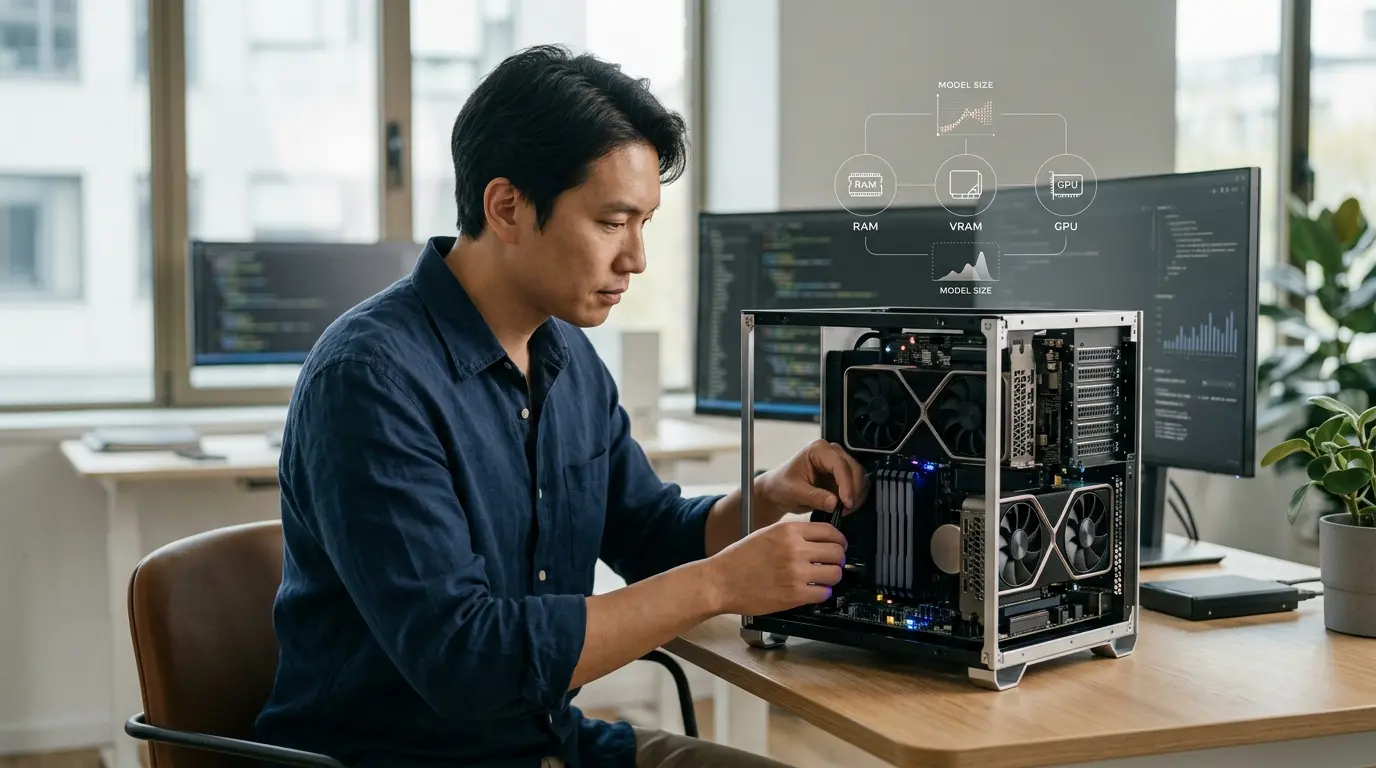
Local AI hardware requirements vary by model and workload, but 16 GB of system memory is the practical baseline, 32 GB provides useful headroom, and a dedicated GPU is optional but often the biggest speed upgrade. An 8 GB computer can run small quantized models. Larger models, long context windows and local agents can quickly push requirements into 32 GB, 64 GB or workstation territory.
The model must fit somewhere: dedicated GPU VRAM, Apple unified memory, system RAM, or a combination through CPU–GPU offloading. Fitting the downloaded weight file is only the first condition. Runtime memory also includes the context cache, compute buffers, application overhead and the operating system.
This guide explains how to estimate those requirements without treating every “8B model” or “20 GB download” as equivalent. It supports the hands-on guide to running AI locally and AI World Today’s wider Local AI hub.
Quick local AI hardware recommendations
Use these tiers as conservative starting points for quantized text and multimodal language models:
| Hardware tier | Realistic starting model class | Suitable work |
| 8 GB system RAM, no dedicated GPU | 1B–3B at 4-bit; short context | Rewriting, classification and basic chat |
| 16 GB RAM or unified memory | 3B–9B at 4-bit | General local chat, summaries and light coding |
| 32 GB RAM or unified memory | 12B–27B at 4-bit | Stronger reasoning, code and modest document work |
| 64 GB RAM or unified memory | 30B–70B quantized | Large local models with measured context settings |
| 128 GB+ RAM or 80 GB-class GPU | Very large or 120B-class specialized formats | Workstation and server deployments |
For dedicated GPU VRAM:
| Dedicated VRAM | Sensible fully or mostly GPU-resident target | Important caveat |
| 4–6 GB | 1B–4B quantized | Leave space for context and display use |
| 8 GB | 7B–9B quantized | Long context can exceed the remaining VRAM |
| 12 GB | 12B–14B quantized | Package and runtime overhead vary |
| 16 GB | Some 20B-class quantized models | A 14 GB weight package leaves little headroom |
| 24 GB | Many 20B–32B quantized models | 24 GB files are too tight once context is added |
| 48 GB | Many 70B-class 4-bit models | Context and architecture decide whether it fits fully |
| 80 GB | Large workstation/server models | Ollama cites one 80 GB GPU for gpt-oss 120B in MXFP4 |
These are buying and testing ranges, not compatibility promises. Verify the exact model package and use your runner’s load estimate. Start below the apparent limit if the GPU also drives your displays or other applications.
The six numbers that determine whether a model fits
1. Parameter count
A parameter is a learned numerical value in a neural network. Labels such as 3B, 8B and 70B refer roughly to billions of parameters.
Parameter count influences model capacity and the uncompressed weight footprint, but it does not directly state download size or runtime memory. The data type matters. At a simplified level:
| Weight precision | Approximate raw weight bytes per parameter | Approximate raw weights for 8B parameters |
| FP32 | 4 bytes | 32 GB |
| FP16/BF16 | 2 bytes | 16 GB |
| 8-bit | 1 byte | 8 GB |
| 4-bit | 0.5 byte | 4 GB |
Real files contain metadata, embeddings, scales and architecture-specific components. Quantization formats also use blocks and auxiliary values. Treat the table as arithmetic intuition, not a download calculator.
2. Active parameters
Dense models use their full main network for each token. Sparse mixture-of-experts, or MoE, models route each token through a subset of expert layers.
For example, Ollama’s Gemma 4 page lists the 26B variant as 25.2B total parameters and about 3.8B active parameters. That lower active count can reduce per-token computation. It does not mean only 3.8B parameters have to be downloaded. The full expert set still exists and affects storage and model-loading memory.
Active parameters answer a compute question. Total stored weights answer much of the capacity question. Do not use the active count alone to size RAM or VRAM.
3. Quantization
Quantization stores model weights at lower precision. The llama.cpp project supports 1.5-bit through 8-bit integer quantization and states that it reduces memory use while enabling faster inference on supported systems.
Common GGUF names such as Q4, Q5 and Q8 indicate broad precision families, but suffixes and implementations matter. Lower-bit variants are smaller and often faster to load. They can lose quality, especially at aggressive levels or on sensitive tasks.
For a first local setup, a well-supported 4-bit or 5-bit quantization is usually more realistic than full precision. The best local AI models guide should be used alongside hardware sizing because quality per gigabyte differs by model.
4. Download or file size
The package size is the easiest number to see and the easiest to misuse. It tells you roughly how much storage the package occupies. It is also a useful lower-bound signal for loaded weight memory.
Ollama lists these example packages as of 21 August 2026:
| Package | Parameter label | Listed download size | Listed maximum context |
| Llama 3.2 1B | 1B | 1.3 GB | 128K |
| Qwen 3.5 4B | 4B | 3.4 GB | 256K |
| DeepSeek R1 distilled 8B | 8B | 5.2 GB | 128K |
| Ministral 3 8B | 8B | 6.0 GB | 256K |
| Gemma 4 12B | 12B | 7.6 GB | 256K |
| gpt-oss 20B | 20B MoE | 14 GB | 128K |
| Qwen 3.5 27B | 27B | 17 GB | 256K |
| DeepSeek R1 70B | 70B | 43 GB | 128K |
| gpt-oss 120B | 120B MoE | 65 GB | 128K |
The same parameter label can produce different file sizes because architectures, modalities and quantization differ. Two 8B models above differ by 0.8 GB. That difference can matter on an 8 GB GPU.
5. Context memory
Context contains the tokens available during a request: instructions, conversation history, retrieved passages, tool results and generated output. In transformer inference, the runtime usually stores a key-value cache, or KV cache, so it does not recompute the entire preceding sequence for every new token.
KV-cache memory grows as context grows. The exact rate depends on architecture, layer count, hidden dimensions, grouped-query attention, cache precision, batch size and parallel sequences. There is no universal “one token equals X bytes” formula that works across models.
Weight quantization and KV-cache quantization are separate decisions. A Q4 model label normally describes compressed weights; it does not prove the context cache is also 4-bit. Ollama’s FAQ says its KV cache uses f16 by default. On supported Flash Attention setups, q8_0 cache quantization uses roughly half that cache memory and q4_0 roughly one quarter, with a possible quality cost that can become more visible at long context.
Concurrency matters too. Ollama documents context allocation as scaling with the number of parallel requests. Two simultaneous 32K sequences require more cache memory than one 32K sequence, even though the model package on disk has not changed.
This explains a common failure:
- A 14 GB model package loads on a 16 GB device.
- The user requests a very large context.
- KV cache and buffers consume the remaining memory.
- The runtime offloads to system RAM, slows down or fails.
Ollama currently defaults context by VRAM: 4K below 24 GiB, 32K from 24 to 48 GiB, and 256K at 48 GiB or more. A model advertising 256K does not mean a 16 GB computer can use 256K efficiently.
6. Runtime and operating-system overhead
The model runner needs memory for compute buffers, tokenization, images, libraries and request handling. The operating system and background applications need their share. A discrete GPU used for monitors also has display allocations.
Leave headroom. A useful planning rule is to avoid selecting a model package that consumes nearly all available RAM or VRAM before context has been allocated. The exact margin requires a real load test, which is more reliable than a fixed percentage.
RAM versus VRAM versus unified memory
System RAM
RAM is the main memory used by the CPU and applications. A local model can run entirely in RAM through CPU inference. This broadens compatibility but usually generates tokens more slowly than a capable GPU.
More RAM lets you load larger models and avoid disk swapping. It does not automatically make inference fast; memory bandwidth and CPU vector performance also matter.
Dedicated GPU VRAM
VRAM is memory attached to a discrete GPU. Keeping the model and KV cache in VRAM avoids slower transfers and uses the GPU’s parallel compute. For many local LLM workloads, VRAM capacity matters more than gaming benchmark rankings.
A fast 8 GB gaming card can lose to a slower 24 GB card on a model that will not fit into 8 GB. Once layers spill into system RAM, bus transfers and CPU work can dominate latency.
Read what GPUs do for AI for the fundamentals and Nvidia AI GPUs for product categories.
Apple unified memory
Apple Silicon places CPU and GPU in a unified memory architecture. The same pool can hold the model without copying it between separate system RAM and VRAM in the conventional PC pattern.
Total unified memory is not entirely available to the model. macOS, applications and graphics also use it. A 16 GB Mac therefore should not be planned like a dedicated 16 GB GPU with separate system RAM. Its integration is convenient, but headroom still matters.
Disk storage
Disk holds downloaded model packages. An SSD improves download unpacking, model load times and general responsiveness, but it does not replace RAM or VRAM during inference. If the operating system swaps active model memory to disk, performance can collapse.
Keep room for multiple variants, updates and temporary data. Ollama’s Windows documentation warns that model storage can grow to tens or hundreds of gigabytes.
Can local AI run without a GPU?
Yes. Ollama, LM Studio and llama.cpp support CPU inference. Small quantized models can be useful on modern CPUs, especially for batch classification, summarization, structured extraction and low-volume chat.
Expect lower generation speed than a compatible GPU. CPU performance also depends on memory bandwidth and instruction support. LM Studio’s current Windows x64 requirements call for AVX2; its official system requirements recommend 16 GB RAM and at least 4 GB dedicated VRAM, while making clear that the GPU is a recommendation rather than the definition of local inference.
CPU-only is a good way to test whether a workflow deserves hardware investment. Run the actual model and measure tokens per second, time to first token and task accuracy.
What is GPU offloading?
Offloading places some model layers on the GPU while the rest remain in system RAM. It lets a machine accelerate models that exceed dedicated VRAM.
The llama.cpp project supports CPU–GPU hybrid inference, and Ollama reports its chosen split through:
ollama ps
Its PROCESSOR field may show:
- 100% GPU: fully GPU-resident.
- 100% CPU: fully in system memory.
- A CPU/GPU percentage split: partial offloading.
Partial offloading can be much better than CPU-only, but slower than fitting everything in VRAM. PCIe bandwidth, layer placement and context size affect the result.
Nvidia, AMD or Apple for local AI?
Nvidia
Nvidia remains the simplest discrete-GPU path for many AI applications because CUDA has broad software support. Ollama currently supports Nvidia GPUs with compute capability 5.0 or newer, subject to driver requirements; older supported compute generations need newer drivers.
Capacity still comes first. Compare VRAM before paying for gaming-focused performance. Our guide to Nvidia CUDA explains the software layer.
AMD
AMD can offer competitive memory capacity, but compatibility varies by card, operating system and backend. Ollama supports listed AMD GPUs through ROCm and provides additional Windows and Linux support through Vulkan. Its current Linux ROCm path requires ROCm v7, while the Windows support matrix is narrower.
Check your exact card against Ollama’s live hardware page before buying. Read Nvidia versus AMD for AI for the wider trade-off.
Apple Silicon
Apple Silicon offers a clean laptop and compact-desktop experience through Metal and unified memory. High-memory configurations can run models that would require expensive high-VRAM PC cards.
The trade-offs include non-upgradable memory and a different software ecosystem from CUDA. Buy the memory capacity you expect to need for the machine’s full lifetime.
Current model examples by hardware tier
These pairings are sensible tests, not promises of speed or quality:
8 GB computer
Try:
ollama run llama3.2:1b
Or a compact Qwen model. Close heavy applications and keep context modest. Avoid expecting long-document work or a large agent stack.
16 GB computer
Try:
ollama run qwen3.5:4b
ollama run ministral-3:8b
Ollama states that the 14 GB gpt-oss 20B package can run on systems with as little as 16 GB memory because its MoE weights use MXFP4 quantization. “As little as” describes a technical floor, not a comfortable multitasking recommendation. A 14 GB package leaves little room for the operating system, context and tools.
32 GB computer
Try 12B, 20B or 27B-class quantized models while monitoring runtime memory. This tier gives far more space for a useful context and other applications.
ollama run gemma4:12b
ollama run gpt-oss:20b
ollama run qwen3.5:27b
The 17 GB Qwen package can fit in 32 GB system memory, but full GPU placement still requires enough dedicated or unified memory for weights plus context.
64 GB computer
This tier can test quantized 70B-class packages such as the 43 GB DeepSeek R1 70B variant. Leave headroom and expect much better speed when the GPU or unified-memory bandwidth is strong.
ollama run deepseek-r1:70b
The full DeepSeek R1 671B package is a different proposition: Ollama lists it at 404 GB. Family names are not hardware specifications. Our DeepSeek local guide separates the distilled models from the full model.
80 GB GPU or 128 GB+ workstation
Ollama lists gpt-oss 120B as a 65 GB package and says its MXFP4 representation can fit on a single 80 GB GPU. Long context, parallel requests and other services still consume memory. Validate the complete workload before procurement.
Hardware for local RAG
Retrieval-augmented generation adds components beyond the chat model:
- An embedding model.
- A document parser and chunking process.
- A vector or search index.
- Storage for source documents and indexes.
- The generation model and its context.
These parts do not all need to occupy VRAM simultaneously, but they increase system RAM, storage and operational complexity. The efficient pattern retrieves a limited set of relevant passages instead of loading every document into the model’s context.
See how to chat with documents using local RAG for the architecture.
Hardware for local AI agents
A local agent can need more memory than an ordinary one-turn chatbot because it may maintain long histories, process tool results, run multiple model calls and keep an embedding model or reranker available.
Ollama recommends at least 64K context for agents, web search and coding tools. That allocation can be expensive on a consumer GPU. Agents may also consume CPU, RAM and storage outside the model server through browsers, code sandboxes, databases and automation tools.
Plan the complete AI agent architecture, including the runtime, tools, state and security boundary. A smaller model with constrained tools may be more reliable and secure than a larger model on a machine with no room for isolation. The local AI agents guide covers deployment, while AI agent security covers sandboxing, permissions and prompt injection.
How to measure your real requirement
Model-memory calculators are useful for screening. A real load test is better.
- Close non-essential applications.
- Record free RAM and VRAM.
- Load the exact model and quantization.
- Set the context you expect to use.
- Run a representative prompt or document task.
- Inspect CPU/GPU placement with ollama ps.
- Monitor peak RAM, VRAM, temperature and power.
- Measure time to first token and output speed.
- Repeat with two simultaneous requests if concurrency matters.
- Leave operational headroom rather than sizing to a single successful run.
On Nvidia systems, use:
nvidia-smi
For Ollama:
ollama ps
On Windows, Task Manager shows system and dedicated GPU memory. On macOS, Activity Monitor shows memory pressure; third-party metrics can add detail, but procurement decisions should use repeatable workload tests.
Common hardware buying mistakes
Buying for parameter count alone
An MoE model can have many total parameters but fewer active per token. Quantization and architecture change the footprint. Use the exact package.
Equating file size with required RAM
Weights are only part of runtime memory. Context and buffers need space too.
Maximizing context because the model supports it
A 256K model can still be most useful at 8K or 32K on your hardware. Allocate what the task needs.
Prioritizing GPU speed over VRAM
A fast GPU cannot keep a model fully resident if it lacks capacity. Offloading may erase much of the speed advantage.
Treating unified memory as fully available
The operating system and applications share it. Leave headroom.
Ignoring power, cooling and noise
Sustained local inference is a continuous compute workload. Desktop power supplies, laptop thermal limits and electricity costs influence real performance.
Buying before testing the workflow
Start with a small model on existing hardware or rent a short cloud test. Confirm that local deployment improves privacy, cost or control enough to justify new equipment. The local versus cloud AI comparison can frame that decision.
Local AI hardware FAQ
Is 8 GB RAM enough for local AI?
Yes, for small quantized models and short contexts. Expect limited multitasking and slower performance. A 1B–3B model is a safer starting point than a package that nearly fills memory.
Is 16 GB RAM enough for Ollama?
Yes. It is a practical baseline for 3B–9B quantized models and some specially compressed larger models. It is not enough for every model Ollama can download.
Do I need an Nvidia GPU?
No. CPU inference, Apple Metal, AMD ROCm and Vulkan paths exist. Nvidia’s CUDA ecosystem is broadly supported, which can make setup easier for compatible discrete GPUs.
How much VRAM do I need for a 7B or 8B model?
Many 4-bit packages are around 4.7–6.0 GB. An 8 GB GPU is a common starting point, but large context and visual input can use the remaining capacity. The exact model and quantization decide.
Can RAM substitute for VRAM?
It can hold model layers and enable CPU or hybrid inference. It does not provide the same bandwidth or compute as a dedicated GPU, so performance may be substantially lower.
Does a 3.8B-active MoE model need only 3.8B-model memory?
No. Active parameters describe the subset used for a token. Total expert weights still have to be stored and generally loaded, so size the hardware from the complete packaged model and runtime.
Why does a 256K-context model run at 4K in Ollama?
The 256K figure is the model’s maximum. Ollama currently assigns a default context based on VRAM, starting at 4K below 24 GiB. You can raise it, but memory use rises with it.
Final recommendation
If you are buying a general-purpose local AI computer in 2026, prioritize memory capacity, a supported acceleration path and upgrade headroom. Sixteen gigabytes is enough to learn; 32 GB is the more flexible mainstream target; 64 GB opens far larger models. For discrete GPUs, choose VRAM based on the exact package and context rather than a model-family label.
Then verify the result with the software you intend to use. Our Ollama guide shows how to inspect the processor split and context, and the dedicated Windows and Mac local AI guide covers platform-specific installation choices.

byDavid Porter
Latest comments
Loading