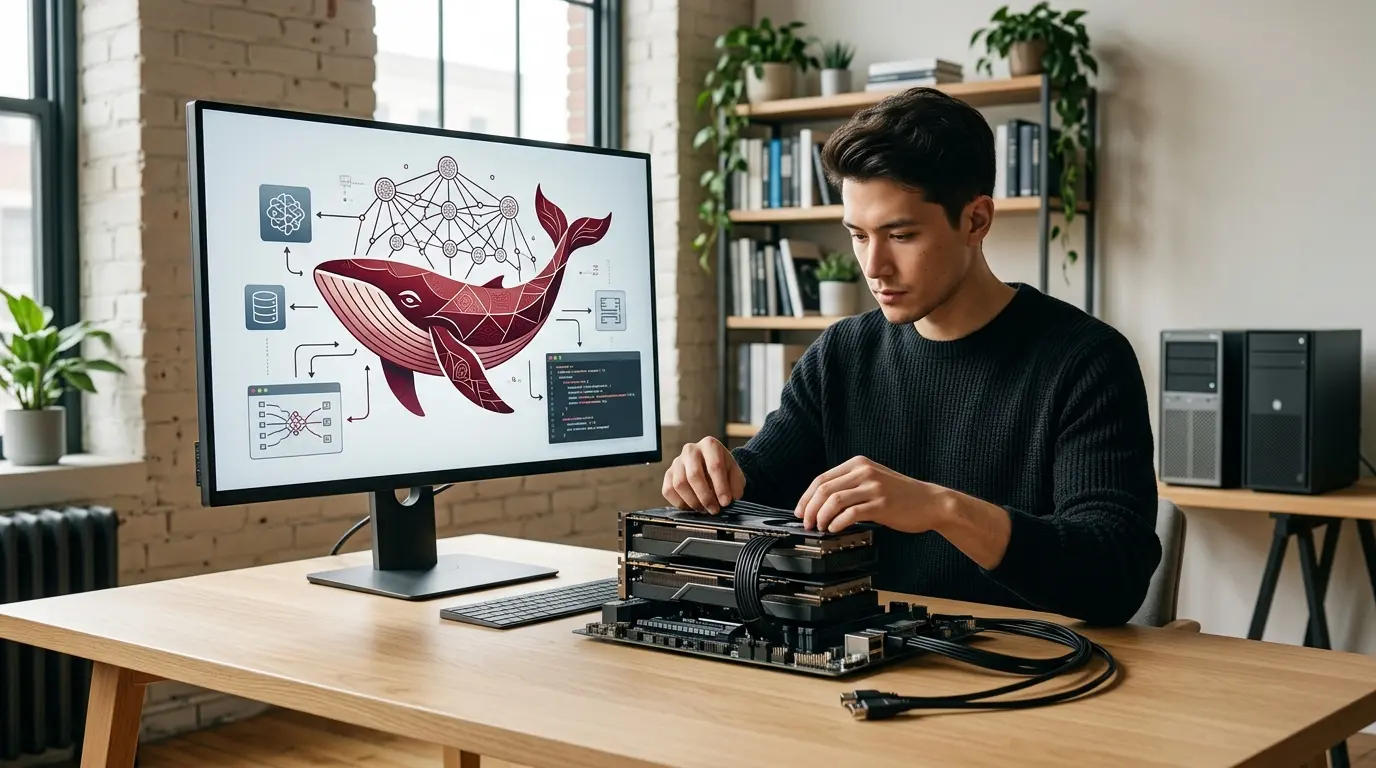
You can run DeepSeek locally, but “DeepSeek” does not describe one hardware requirement. A small distilled or quantized model can work on a modern laptop. A 32-billion-parameter model usually needs substantial system memory or a high-memory GPU. Full DeepSeek V4 is a datacenter deployment, not a normal desktop download.
That distinction matters because local-AI tutorials often compress three very different projects into one sentence:
- running a compact DeepSeek-derived model in a desktop application;
- serving a larger quantized checkpoint on a workstation or small server;
- operating a full flagship model across several enterprise GPUs.
The first can take minutes. The third is an infrastructure program.
This guide explains the practical routes, hardware trade-offs, setup process and security work. Start with our complete explanation of DeepSeek if you first need to separate the company, public chat, API and downloadable weights. Our DeepSeek model guide maps the current V4 family and older R1, V3 and distilled releases.
DeepSeek local deployment at a glance
| Goal | Sensible starting point | Typical hardware class | Difficulty |
| Try DeepSeek privately on a laptop | Quantized 7B or 8B distilled model | Recent laptop with 8–16 GB usable memory | Low |
| Better local writing and coding | Quantized 14B model | 16–32 GB RAM or suitable GPU memory | Low to medium |
| Stronger local reasoning | Quantized 32B model | 32–64 GB RAM or about 20–24 GB usable GPU memory | Medium |
| Run a 70B-class model | Quantized 70B model | 64 GB or more RAM, or multi-GPU/high-memory workstation | High |
| Serve a team or application | Compatible model through vLLM or SGLang | Dedicated Linux GPU server | High |
| Operate full DeepSeek V4 | Official full checkpoint | Multi-GPU datacenter infrastructure | Very high |
These are planning ranges, not guarantees. Quantization type, context length, cache size, runtime, operating system, concurrency and GPU architecture can change the actual requirement.
Can DeepSeek run on a laptop?
Yes—smaller DeepSeek and DeepSeek-derived checkpoints can run on a laptop. That does not mean the full current flagship fits.
The most practical laptop route is usually a distilled R1 model or an older compact coding model converted into a format supported by Ollama, LM Studio or llama.cpp. Distillation transfers useful behavior from a larger reasoning model into a smaller base model. Quantization then stores the weights with fewer bits, reducing memory use further.
A laptop is a reasonable environment for:
- private experimentation;
- offline drafting and summarization;
- code explanation;
- learning how local model serving works;
- low-volume extraction or classification;
- testing a workflow before moving it to a server.
A laptop is a poor environment for:
- full V4 weights;
- many simultaneous users;
- sustained high-throughput generation;
- million-token production contexts;
- latency-sensitive agent fleets;
- a business service that must remain available while the laptop sleeps.
The word Flash in DeepSeek V4 Flash describes its intended efficiency and serving profile relative to V4 Pro. It does not mean the complete model is small enough for an ordinary notebook. DeepSeek describes V4 Flash as a mixture-of-experts model with 284 billion total parameters and 13 billion activated for a token. The official V4 model repository includes serving material with a configuration built around a four-GPU NVIDIA GB300 node, which is a useful reality check for anyone interpreting “Flash” as “consumer model.”
Choose the model before choosing the software
The model determines memory, speed, quality and license obligations. Do not begin by installing five runtimes and only then ask which checkpoint they should load.
Full DeepSeek V4 Pro
DeepSeek V4 Pro is the largest current release. DeepSeek describes it as a 1.6-trillion-parameter mixture-of-experts model with 49 billion activated parameters and a one-million-token context window.
Use the full checkpoint only when an organization has:
- multi-GPU expertise;
- substantial storage and network capacity;
- a distributed-serving plan;
- model-evaluation and monitoring capability;
- a real requirement that cannot be met by the hosted API or a smaller model.
A powerful gaming PC is not the target platform.
Full DeepSeek V4 Flash
V4 Flash is smaller and cheaper to serve than Pro, but it is still a very large model. It is relevant to organizations building a serious inference service, not to the normal “download an app and chat locally” audience.
Use it where high throughput, long context, coding or agentic work justify operating a dedicated cluster. Compare that cost with the official DeepSeek API before buying hardware.
DeepSeek R1 distills
Distilled R1 models remain the practical entry point for many local users. They were released in several sizes based on smaller Qwen and Llama architectures. Common size classes include roughly 7B or 8B, 14B, 32B and 70B.
Choose by constraint:
- 7B/8B: easiest start, fastest, lowest memory, more limited on complex instructions;
- 14B: useful balance for a capable modern laptop or modest workstation;
- 32B: much stronger local option when memory and patience permit;
- 70B: workstation or server territory, especially at useful context lengths.
A distill is not a compressed copy of the full R1 model. It is a different model trained to reproduce parts of its behavior. Evaluate it independently.
Older V3 and Coder checkpoints
Older DeepSeek releases can still be valuable for existing applications, research and code work. A fixed downloaded checkpoint does not become obsolete merely because the hosted API changes its default.
However, old tutorials can also point to superseded repositories, licenses or templates. Confirm that the model card belongs to the official DeepSeek organization on Hugging Face or to a quantizer you intentionally trust.
Estimate memory before downloading
The fastest first estimate for weight memory is:
parameters × bits per weight ÷ 8
At four-bit quantization, raw weight storage is approximately:
| Parameter count | Approximate raw 4-bit weight size |
| 7B | 3.5 GB |
| 8B | 4 GB |
| 14B | 7 GB |
| 32B | 16 GB |
| 70B | 35 GB |
The raw number is not the final requirement. Add headroom for:
- runtime overhead;
- quantization metadata;
- the key-value cache used by the context;
- temporary buffers;
- the operating system and other applications;
- parallel requests;
- GPU offloading or duplicated tensors;
- model-specific architecture features.
A practical local planning table is therefore broader:
| Quantized class | Comfortable memory target | Typical experience |
| 7B/8B | 8–12 GB available | Responsive on many recent systems |
| 14B | 16–24 GB available | Good desktop balance; slower on CPU-only systems |
| 32B | 24–48 GB available | Better quality, noticeably heavier |
| 70B | 48–96 GB available | High-end workstation or server; often split across devices |
A long context can consume substantial additional memory. Do not configure the maximum context simply because a model card advertises it. Start with the shortest context that fits the workload, measure cache growth and increase it only when evaluation shows a benefit.
CPU, GPU, RAM and unified memory
CPU-only inference
CPU-only operation is the most accessible but usually the slowest route. It works well for small quantized models and low-volume experiments.
Performance depends on:
- memory bandwidth;
- instruction-set support;
- number of fast cores;
- quantization kernel;
- model size;
- prompt length;
- desired tokens per second.
A model that technically loads can still be too slow for useful conversation. Measure time to first token and sustained generation, not merely whether the process starts.
Discrete GPU
A supported GPU can accelerate inference substantially. The main limit is usually usable GPU memory. When a model does not fully fit, some runtimes can split layers between GPU and system RAM. That makes a larger model possible but adds transfer overhead.
Do not assume that a GPU with high gaming performance has enough memory for a large model. In local inference, memory capacity and bandwidth often matter more than conventional game benchmarks.
Apple silicon and unified memory
Apple silicon can be convenient because CPU and GPU share a unified memory pool. A Mac with 32 GB, 64 GB or more unified memory can load models that would not fit in a conventional GPU with less VRAM.
Unified memory is not free dedicated model memory. macOS and applications need part of it, and model speed varies by chip generation, quantization and runtime. Leave operational headroom instead of sizing to the last gigabyte.
Multi-GPU servers
Large models may shard weights and cache across several GPUs. This introduces additional decisions around:
- tensor and pipeline parallelism;
- interconnect bandwidth;
- topology;
- failure recovery;
- load balancing;
- batching;
- storage and model loading;
- power and cooling.
At this scale, “local” should mean under your administrative control, not “running on the desk.”
Route 1: run DeepSeek with Ollama
Ollama provides a simple command-line and local API experience on supported operating systems. It is well suited to beginners, prototypes and applications that need a straightforward local endpoint.
Step 1: install Ollama
Download Ollama from its official download page for the operating system in use. On Linux, review the installation script before executing it and pin a version for managed environments.
Confirm that the service responds:
ollama --version
ollama list
Step 2: choose an exact model tag
Open the official Ollama library entry for DeepSeek R1 or another deliberately selected compatible checkpoint. Select a size that fits the available memory.
A common example for an eight-billion-parameter R1 distill is:
ollama run deepseek-r1:8b
Model tags can change. Treat that command as an example and use the exact current tag displayed by Ollama. Do not silently substitute an unofficial quantization in a business environment.
Step 3: test a bounded prompt
Begin with a task that has an answer you can verify:
Read the following short function. Explain what it does, identify one bug, and propose a test that would expose the bug. Do not modify the code yet.
Record:
- model tag and digest;
- quantization;
- hardware;
- context setting;
- first-token latency;
- generation speed;
- answer quality.
Step 4: call the local API
Ollama exposes a local HTTP service. A basic request can look like this:
curl http://localhost:11434/api/chat \
-H "Content-Type: application/json" \
-d '{
"model": "deepseek-r1:8b",
"messages": [
{"role": "user", "content": "Return three risks of storing API keys in source code."}
],
"stream": false
}'
Do not expose port 11434 directly to the public internet. Place authentication, authorization, rate limiting and TLS in front of any network-accessible service.
Route 2: run DeepSeek with LM Studio
LM Studio provides a graphical interface for discovering compatible models, downloading quantizations, chatting locally and exposing an OpenAI-compatible server.
Step 1: install the official application
Download the application from LM Studio’s official site and verify the publisher. In a managed environment, treat desktop model software like any other application: review update behavior, telemetry, permissions and local storage.
Step 2: search for a compatible checkpoint
Search for the exact official model or a known quantization. Inspect:
- publisher;
- base model;
- file format;
- parameter count;
- quantization type;
- file size;
- context support;
- license;
- recent community reports.
A repository name containing “DeepSeek” is not proof that DeepSeek published or reviewed it.
Step 3: load with conservative settings
Begin with:
- a modest context window;
- one user;
- default sampling;
- no external tools;
- a clear system instruction;
- logs that exclude confidential content where practical.
If the model fails to load, choose a smaller quantization or model. If it loads but swaps heavily, reduce context or move to a smaller checkpoint.
Step 4: enable the local server only when needed
LM Studio can expose an OpenAI-compatible local endpoint. Bind it to localhost for personal use. For team access, place it behind an approved gateway rather than opening the desktop server broadly.
Route 3: use llama.cpp directly
llama.cpp is a widely used inference project for GGUF-format quantized models. It offers fine-grained control and can run across CPUs and supported accelerators.
A typical flow is:
- install or build a pinned llama.cpp release;
- obtain a compatible GGUF file from a trusted source;
- verify file checksums where provided;
- start the command-line interface or server;
- set context and GPU offload deliberately;
- evaluate output and resource use.
A generic server command looks like:
llama-server \
-m /models/deepseek-model.gguf \
-c 8192 \
--host 127.0.0.1 \
--port 8080
The file name is intentionally generic because the correct model and quantization depend on the hardware. Do not copy a random repository path into a production process.
Route 4: serve DeepSeek with vLLM or SGLang
vLLM and SGLang are more appropriate when a team needs a managed GPU service, batching and an API rather than a desktop chat application.
The official DeepSeek V4 model cards include serving guidance for both frameworks. A simplified vLLM pattern is:
vllm serve "deepseek-ai/DeepSeek-V4-Pro" \
--host 127.0.0.1 \
--port 8000
That command communicates the interface, not the complete infrastructure required to serve the full checkpoint. A real V4 deployment needs supported builds, sufficient accelerators, sharding configuration and model-specific launch parameters.
A simplified SGLang pattern is:
python3 -m sglang.launch_server \
--model-path "deepseek-ai/DeepSeek-V4-Pro" \
--host 127.0.0.1 \
--port 30000
Before production, define:
- pinned container and driver versions;
- GPU topology and parallelism;
- authentication and tenant isolation;
- request and token limits;
- timeout and cancellation behavior;
- observability without uncontrolled prompt logging;
- health checks and rollout strategy;
- model and tokenizer digests;
- incident and rollback procedures.
The AI infrastructure guide explains the broader compute, network and storage layer behind such a service.
Quantization: what you gain and lose
Quantization stores weights at lower precision. It can make a model dramatically smaller and faster, but it can also change quality.
Common trade-offs include:
- lower memory use;
- faster loading and often faster generation;
- possible degradation in reasoning, rare-language behavior, coding or numerical precision;
- different results across quantization methods at the same nominal bit depth;
- compatibility differences between runtimes.
Do not select a quantization only from its file size. Test at least:
- normal prompts;
- long prompts;
- structured output;
- code;
- domain terminology;
- refusal and safety behavior;
- adversarial instructions.
A four-bit 32B model can outperform a smaller model on some tasks and perform worse on others. The only defensible answer comes from the organization’s evaluation set.
Context length is not free
DeepSeek V4 advertises a one-million-token context window. Local users often assume that the same number should be configured everywhere.
Long context increases:
- memory required for the key-value cache;
- prompt-processing time;
- latency before generation;
- opportunities for irrelevant or malicious instructions;
- the amount of data that must be secured;
- evaluation complexity.
For many document workflows, retrieval is better than repeatedly sending an entire archive. Store approved documents, select relevant passages, preserve source identifiers and send only the evidence needed for the task.
Start at 4K, 8K or another workload-appropriate context. Increase after measuring accuracy and memory. Maximum context is a ceiling, not a recommendation.
Is local DeepSeek completely private?
Not automatically.
A genuine offline deployment can prevent prompts from being sent to DeepSeek’s hosted service, but privacy still depends on the surrounding system.
Check whether:
- the application sends telemetry;
- model search contacts external repositories;
- prompts are written to logs;
- crash reports include content;
- backups copy model data or prompts elsewhere;
- a desktop UI stores chat history unencrypted;
- users can expose the local server to a network;
- tools can reach email, files, terminals or the web;
- the host operating system is managed and patched.
The distinction between public chat, API, third-party hosting and self-hosting is covered in Is DeepSeek safe?. A local model can improve data-plane control while increasing the operator’s responsibility for security.
Secure the model supply chain
Open weights create flexibility and a new supply-chain surface.
For each checkpoint, record:
- exact repository owner;
- commit or revision;
- model files and checksums;
- base model;
- quantizer and conversion tool;
- license;
- tokenizer and chat template;
- runtime version;
- container digest;
- vulnerabilities and patches;
- approval date and owner.
Prefer safetensors or other formats designed to avoid arbitrary code execution. Be cautious with repositories that require trust_remote_code=True, custom installers or unexplained binaries. Scan containers and dependencies before exposing a service to company data.
Do not confuse self-hosting with unrestricted autonomy
Running a model locally can remove one vendor boundary. It does not make model output true or safe.
A locally served DeepSeek agent can still:
- hallucinate commands;
- follow prompt injection in a document;
- delete files;
- expose secrets in logs;
- generate vulnerable code;
- call an over-permissioned tool;
- consume unlimited compute;
- return biased or inappropriate output.
Use least privilege. Separate read from write tools. Require confirmation for destructive actions. Run code in isolated environments. Set resource quotas and stop conditions.
A practical local evaluation plan
1. Define the workload
Write down the actual job: for example, “summarize internal engineering incident reports and extract action owners.” Do not test with generic trivia if the production task is document extraction.
2. Create a representative test set
Include:
- ordinary examples;
- long examples;
- missing information;
- conflicting evidence;
- malicious instructions inside documents;
- sensitive data that should be rejected or redacted;
- expected output formats.
3. Establish acceptance criteria
Measure:
- factual accuracy;
- source fidelity;
- structured-output validity;
- latency;
- throughput;
- memory;
- correction time;
- failure recovery.
4. Compare model sizes
Run the same cases through at least two sizes. A 32B model may be better, but a 14B model that is twice as fast and passes the quality threshold can be the more useful system.
5. Compare local with hosted alternatives
Test the same workload through the DeepSeek API. Include labor, hardware, electricity, monitoring, updates and downtime in the local cost. Our DeepSeek pricing guide explains why token price alone is not total cost.
6. Document the decision
Record model, quantization, runtime, hardware, evaluation version, known failures and approved data classes. Re-run the test when any of those changes.
Common mistakes
Downloading the biggest model first
The model fills memory, runs slowly and prevents useful learning. Start with the smallest model that can plausibly perform the task.
Treating “open source” as a security review
Weight access does not validate the repository, conversion, dependency chain or deployment configuration.
Advertising the maximum context
A million-token claim becomes a default setting even when it destroys latency and memory. Configure to workload.
Exposing a local endpoint without authentication
“Local” becomes a network service that anyone on the segment can call. Bind to localhost or deploy a proper gateway.
Ignoring the license
The current V4 repositories use the MIT License, but older checkpoints and third-party derivatives can have different terms. Review the exact artifact in use.
Comparing only tokens per second
A faster model that needs extensive correction may produce less useful work. Measure accepted outcomes.
Frequently asked questions
Can I run DeepSeek locally for free?
The weights and many runtimes can be downloaded without a model-access fee, subject to their licenses. Hardware, electricity, storage, engineering, security and maintenance still cost money.
What is the easiest way to run DeepSeek locally?
For most beginners, Ollama or LM Studio with a small quantized R1 distill is the easiest route. Choose the model size from available memory rather than downloading the largest tag.
Which DeepSeek model can run on 16 GB of RAM?
A quantized 7B, 8B or some 14B models can be practical, depending on operating-system use, context length and runtime. Leave headroom. A model that barely fits may swap and become unresponsive.
Can DeepSeek V4 run on a gaming PC?
The full V4 checkpoints are not normal single-GPU consumer deployments. Use a smaller distilled or quantized model locally, or use the hosted API. Advanced multi-GPU operators can self-host V4 with datacenter-class infrastructure.
Does a GPU make DeepSeek faster?
Usually, when the runtime supports the GPU and enough of the model fits in its memory. Memory capacity, bandwidth, quantization and context can matter more than the GPU’s gaming score.
Can I run DeepSeek without an internet connection?
After the model and runtime are downloaded, many local setups can operate offline. Verify that the application, plugins and tools do not make external calls and that updates or model discovery are disabled when isolation is required.
Is Ollama sending my prompts to DeepSeek?
A normal local Ollama inference request is processed by the local model. The surrounding system may still contact external services for downloads, updates or tools. Inspect configuration and network behavior for sensitive deployments.
Is LM Studio private?
It can run model inference on the local machine, but privacy depends on settings, history storage, telemetry, extensions, operating-system security and whether the local server is exposed. Review the current application documentation.
What is the best quantization for DeepSeek?
There is no universal best. Four-bit quantization is a common balance, but methods differ. Test the exact quantized file on the target tasks and record its source.
Can a company self-host DeepSeek?
Yes, where the exact model license and organization’s legal requirements permit it. A production deployment also needs infrastructure, identity, monitoring, patching, incident response, evaluation and governance. See DeepSeek for business.
The bottom line
Running DeepSeek locally is straightforward only after the scope is honest.
For personal experimentation, start with a trusted quantized 7B, 8B or 14B distill in Ollama or LM Studio. For stronger local reasoning, evaluate 32B against available memory and acceptable speed. For a team service, move to a managed Linux inference stack with vLLM or SGLang. Treat full DeepSeek V4 as datacenter infrastructure.
Local deployment can provide more control and reduce dependence on a hosted API. It also transfers responsibility for the model supply chain, access control, logging, updates, reliability and safe tool use to the operator. Choose it because that control is valuable—not because “local” sounds automatically cheap, private or secure.

byDavid Porter
Popular news

Latest comments
Loading