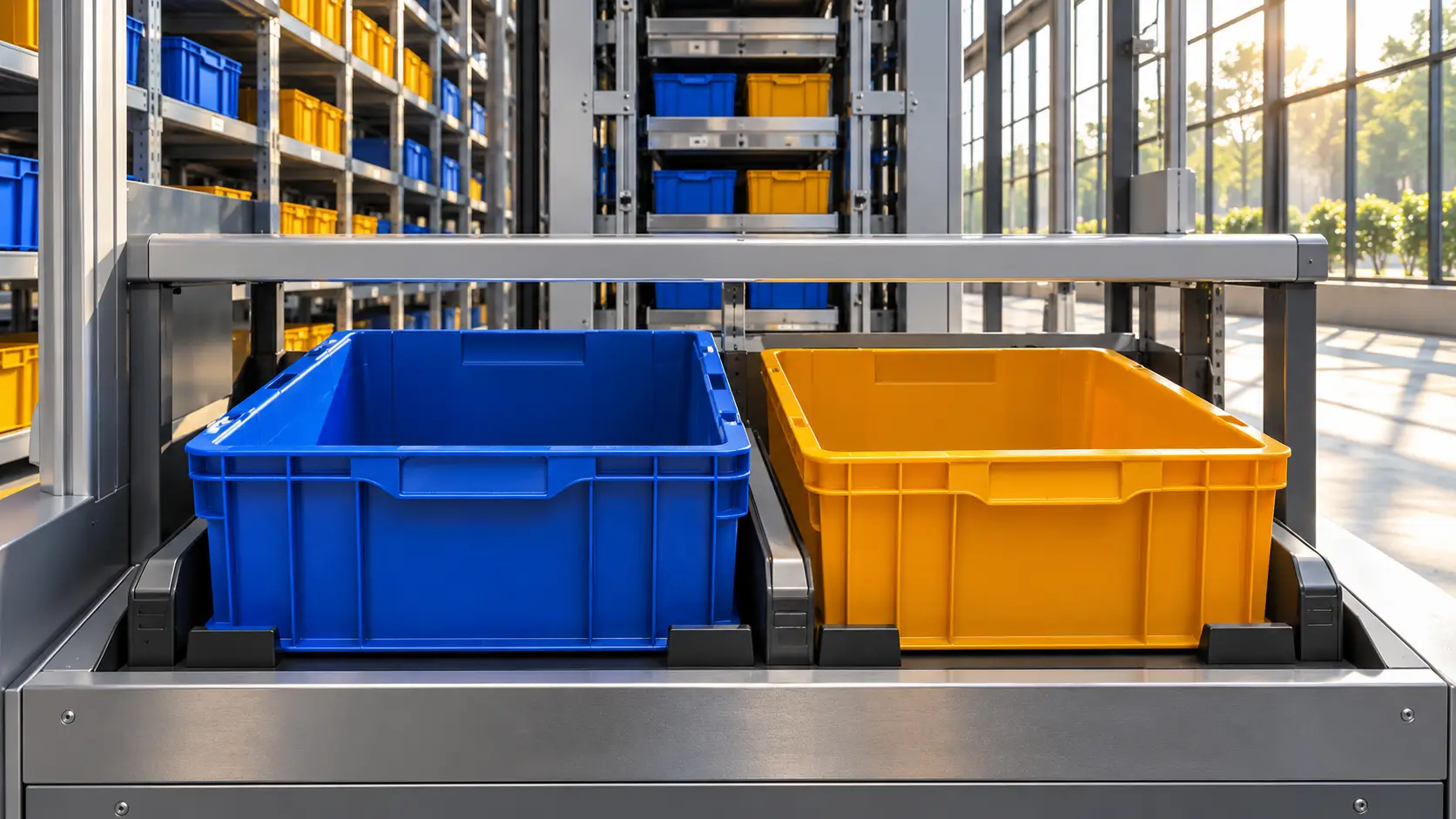
Illustration of a pick station where stock and order totes meet.
In goods-to-person picking, stock moves to the worker. A machine brings a tote or shelf to a pick station. The worker takes the items for the order and puts them into an order tote or carton.
Trace one order through the pick station
Say a customer orders a blue cap and a pair of socks. The caps and socks live in two stock totes. Warehouse software knows which slot holds each item. It sends a request for both totes when the order reaches a pick station.
Example flow for a two-item order1. Storage rack: The cap tote and the sock tote wait in separate slots.2. Storage robot: It fetches each tote and brings it to the station in turn.3. Pick station: A worker lifts one cap and one pair of socks into the same order tote.4. Return and pack: The stock totes go back to storage. The order tote goes to packing.
The simplest check at the station is which item goes into which order. A display or pick light can show the worker what to take. A scan or confirmation can record the move. The bins should leave the station without losing the link between the item and the order.
Dematic documents a similar flow at Drakes Supermarkets in South Australia. At inbound stations workers scan goods and load stock totes. The storage system retrieves them for picking. Staff place units into order totes, and the stock totes return to storage.

Compare the same order in a walk-through aisle
In person-to-goods picking, a worker takes a cart to the cap slot and then to the sock slot. The worker may pick for several orders on the same trip. That can spread the cost of walking across more orders. If the two slots are far apart, the walk can still take longer than the picks.
Sending the stock to a fixed station removes much of the walk. It adds trips for the totes and a queue for the station. A rush of orders for the same item may make it useful to serve several order totes while the stock is in reach. A slow return path can hold up the station after a worker has done the picks.
Find the queue that limits a peak shift
Timestamp four events for each tote. Record when the request goes out, when stock arrives, when the worker confirms the pick and when the tote clears the station. Compare that with the time a packed order is ready for dispatch. A worker waiting for stock points to a different fix from totes piling up at a busy station.
Documented example: In the Exotec case study of GXO and Guess in Venlo, the supplier records eight pick stations, 127 robots and peak throughput of 2,200 order lines an hour. That is a reported figure for the site setup. Divide the site figure by eight and you get 275 lines an hour per installed station. That calculation gives no measured rate for any one station or count of how many ran during the peak interval.
Our coverage of the Venlo installation shows how that site connects stock retrieval and packing. For your own peak shift, record the wait before each pick and after it. That locates the bottleneck even when a site total looks strong.
This workflow assigns travel to the storage system and leaves the item pick at a station. Our guide to warehouse robot types shows where that division changes. A piece-picking cell can take over the item step in some setups.

Popular news

Good Morning AI | Anthropic slips, Claude reviews code and Tidal sets a cutoff
AI stocks slide again as Nvidia falls and Ambarella sinks 20.6%

GTA 6 on PC at 10 FPS? Inside the AI-Assisted Race to Port It

Tencent opens the AI models behind WeChat’s product search
Google’s Humanity’s First Exam Tests AI Reliability