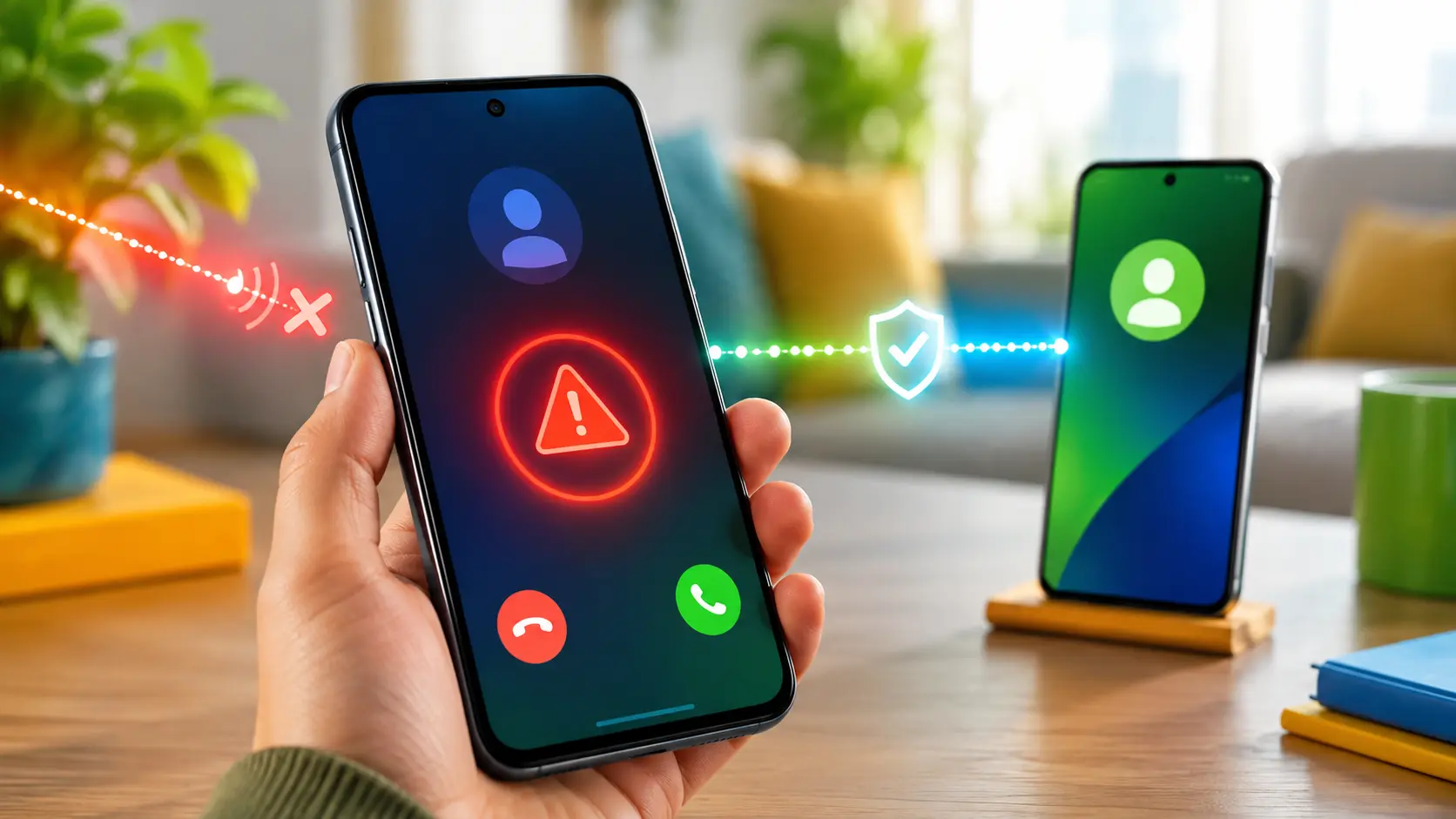
Your phone flashes the name of a relative, friend, or colleague. But the person on the line could still be a scammer. Phone numbers can be spoofed, making a call look legitimate at first glance.
In June 2026, Google rolled out a new protection that flags suspicious calls. The feature is called fake call detection. Important: Android does not listen to the voice to judge whether it’s AI-generated. The check happens between the devices involved.
How the digital handshake works
Google likens the system to a digital handshake. When a saved contact calls you and you both use Phone by Google, the caller’s device quietly sends a background confirmation.
1. The real device confirms the call
This confirmation uses end-to-end encrypted RCS technology. Your phone can verify whether the call truly originates from the device tied to that contact.
2. No confirmation triggers an extra check
With number spoofing, that first confirmation is missing. Your phone then digitally pings the real device of the saved contact.
3. Android shows a warning
If that device reports it isn’t calling, you’ll see a warning. You can then hang up.
Your contact doesn’t need to answer anything. It’s an automated device-to-device check.
It does not analyze the caller’s voice
The feature aims to make scams using spoofed numbers and AI voices harder. Still, “AI voice detector” is the wrong label.
Android doesn’t judge whether a voice sounds real. It checks whether the associated device confirms the call. That means it never has to guess if a voice is synthetic.
That distinction matters. A scammer might mimic a voice convincingly, but this feature focuses on the technical origin of the call.
Which phones can show the warning?
Google lists these requirements:
- Android 12 or newer;
- Phone by Google as your dialer app;
- Google Contacts and Google Messages installed;
- RCS enabled in Google Messages;
- both caller and recipient use Phone by Google.
The global rollout began in June 2026 on Pixel phones. Availability may vary by device, app version, and rollout timing.
So Android version alone isn’t enough. If your contact uses an iPhone or calls via another dialer, this handshake can’t happen. That doesn’t mean the call is unsafe; only that this specific check isn’t available.
A warning is a signal, not a verdict
Google labels these as suspicious or potentially spoofed calls. A warning is a strong cue to hang up and verify yourself, not legal proof of fraud.
Conversely, no warning doesn’t guarantee a call is safe. The feature can’t cover every scenario, such as when:
- someone calls from an unknown number;
- one of the phones doesn’t meet the requirements;
- a real device or account has been compromised;
- a scammer impersonates someone verbally without spoofing the number;
- technical issues block the check;
- a criminal pressures you without using an AI voice.
Treat the feature as an extra safety layer, not a substitute for healthy skepticism.
What to do during a suspicious call
Hang up
Don’t argue or try to expose the scammer. The longer you stay on the line, the more you might reveal.
Call back yourself
Use the number already saved in your contacts or find the official number from an independent source. Don’t call back using a number given during the call.
Verify via a second channel
Send a message in an existing chat or reach out to another family member. Don’t use any link shared during the call.
Never transfer money on the spot
A real family member, bank agent, or employer can wait while you verify. Urgency, secrecy, and pressure to pay immediately are red flags.
Set a family code
A prearranged word or question can serve as an extra layer of verification. Never share this code in public messages, and change it if you think it’s been exposed.
Is fake-call detection on by default?
According to Google, the feature is enabled by default when available on a supported device. You can turn it off in the Phone by Google settings.
If you don’t see the option yet, check that Android, Phone by Google, Google Messages, and Google Contacts are up to date, and that RCS is enabled. It may also mean the rollout hasn’t reached your device.
What really improves
The update doesn’t judge whether a voice sounds human or synthetic. Android checks something more concrete: is the call actually coming from your contact’s device?
That’s a meaningful step forward, because a familiar name on your screen is no longer enough proof. Still, keep verifying yourself—especially if the caller asks for money, codes, passwords, or personal data.
FAQ
Is Android listening to my call?
For this feature, Google doesn’t describe any voice analysis. The check works via an encrypted digital handshake between devices.
Does fake-call detection work on every Android phone?
No. It requires Android 12 or later, specific Google apps, RCS, and Phone by Google on both ends.
Does it work if my contact uses an iPhone?
Not under current conditions. Both parties must use Phone by Google.
Is a warning definitive proof of fraud?
No. Google frames it as a warning about a suspicious, possibly spoofed call. Hang up and verify the person independently.
Does no warning mean the call is safe?
No. Not every type of phone scam can be detected by this technical check.
Can I disable the feature?
Yes. Google says you can do this in the Phone by Google settings.

Popular news
Latest comments
Loading